
AI Inspection, Right From Your Phone.
We built DPS AI Inspection to put the same standards our crews use in the field into a tool anyone can run before we ever show up. Snap a photo of any Home Ignition Zone and get an instant, standards-based hazard report — species-level vegetation guidance, structural risk flags, and a prioritized action list, in seconds.
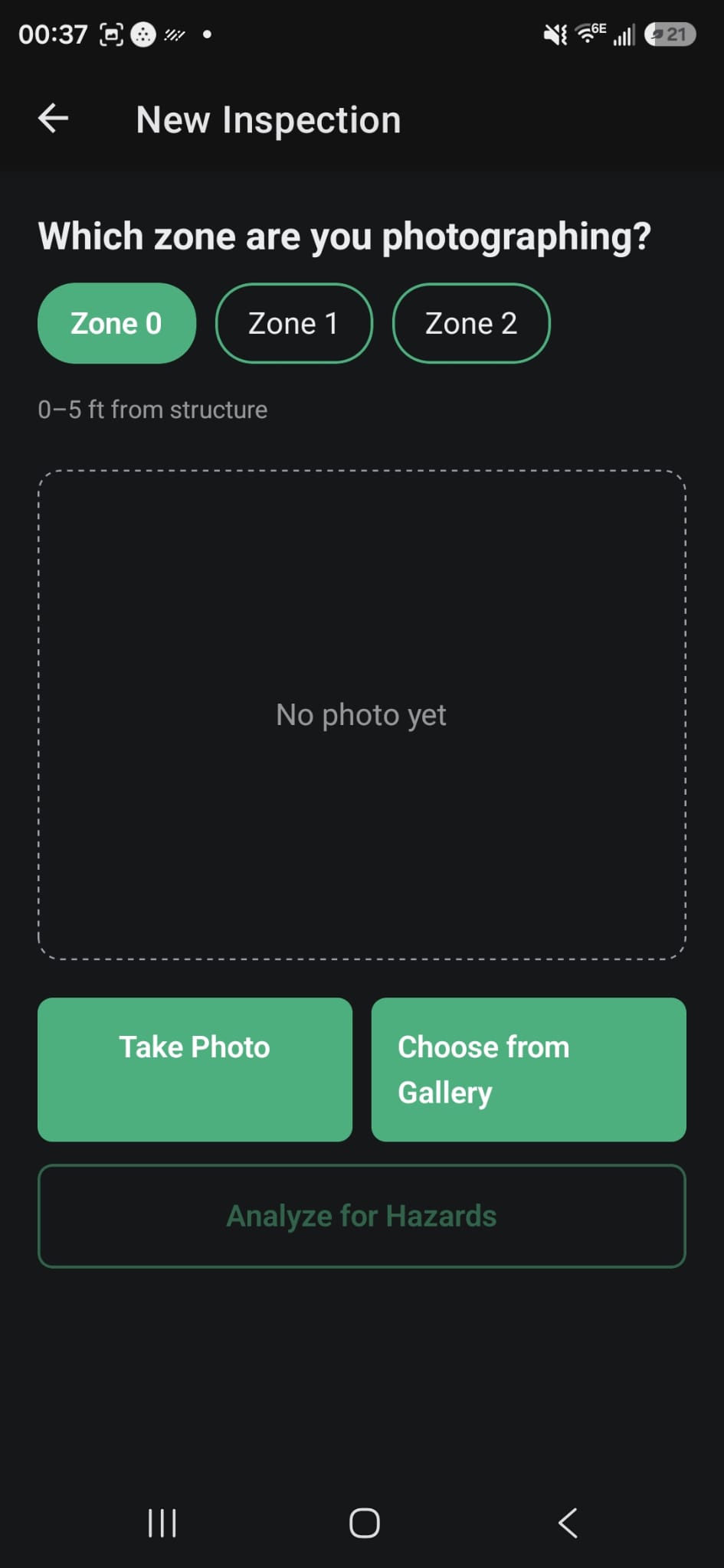
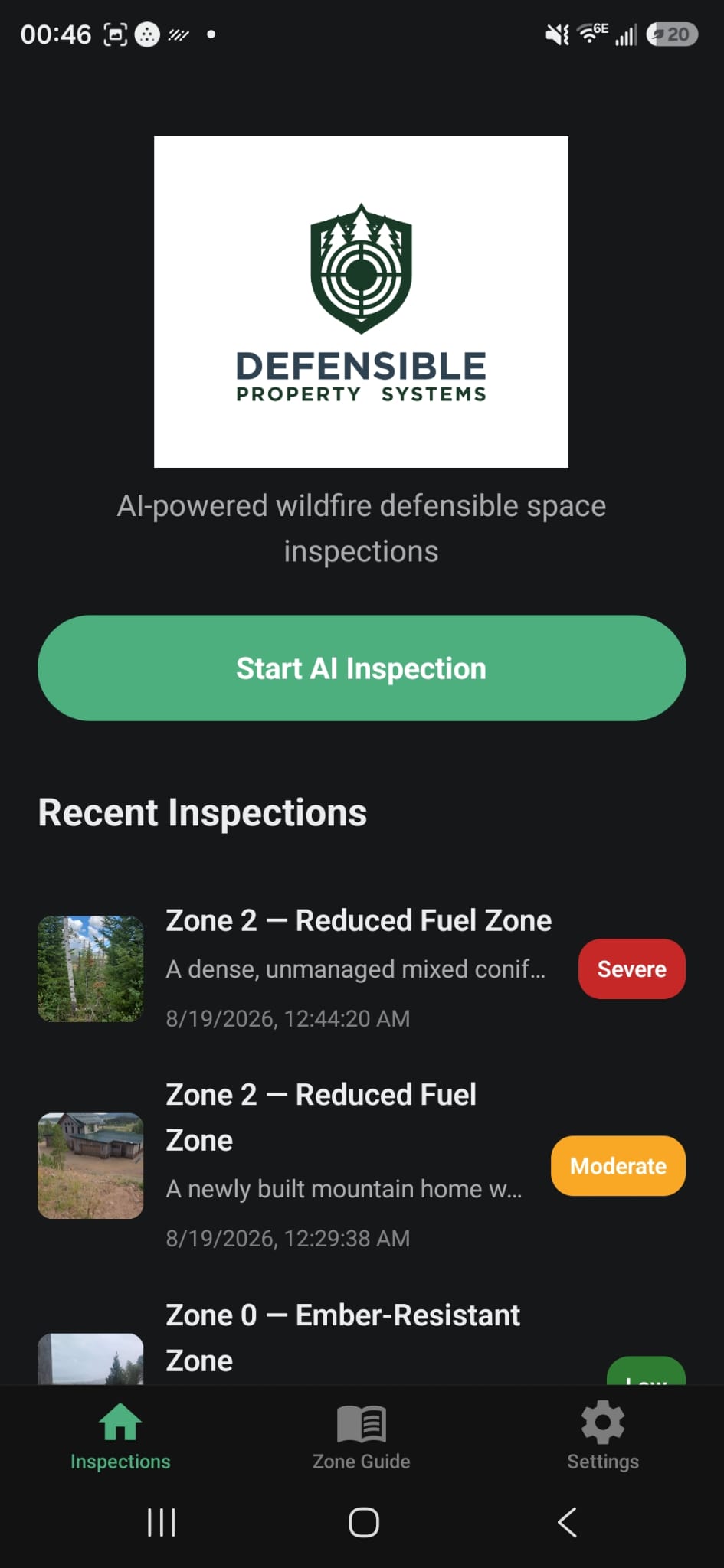
From Photo to Action Plan in Four Steps
No special equipment, no waiting on a scheduled visit. Just a phone camera and the same Home Ignition Zone framework our crews use on every project.
Choose Your Zone
- Select Zone 0, 1, 2, or 3
- App shows the exact distance range for that zone
Snap a Photo
- Take a photo on the spot
- Or choose an existing photo from your gallery
AI Analyzes for Hazards
- Identifies plants and fuels in frame
- Flags structural and site-level risks
- Scores the zone Low, Moderate, or Severe
Get Your Action Plan
- Leave, Remove, or Replace guidance per plant
- Prioritized corrective actions
- Saved to your inspection history
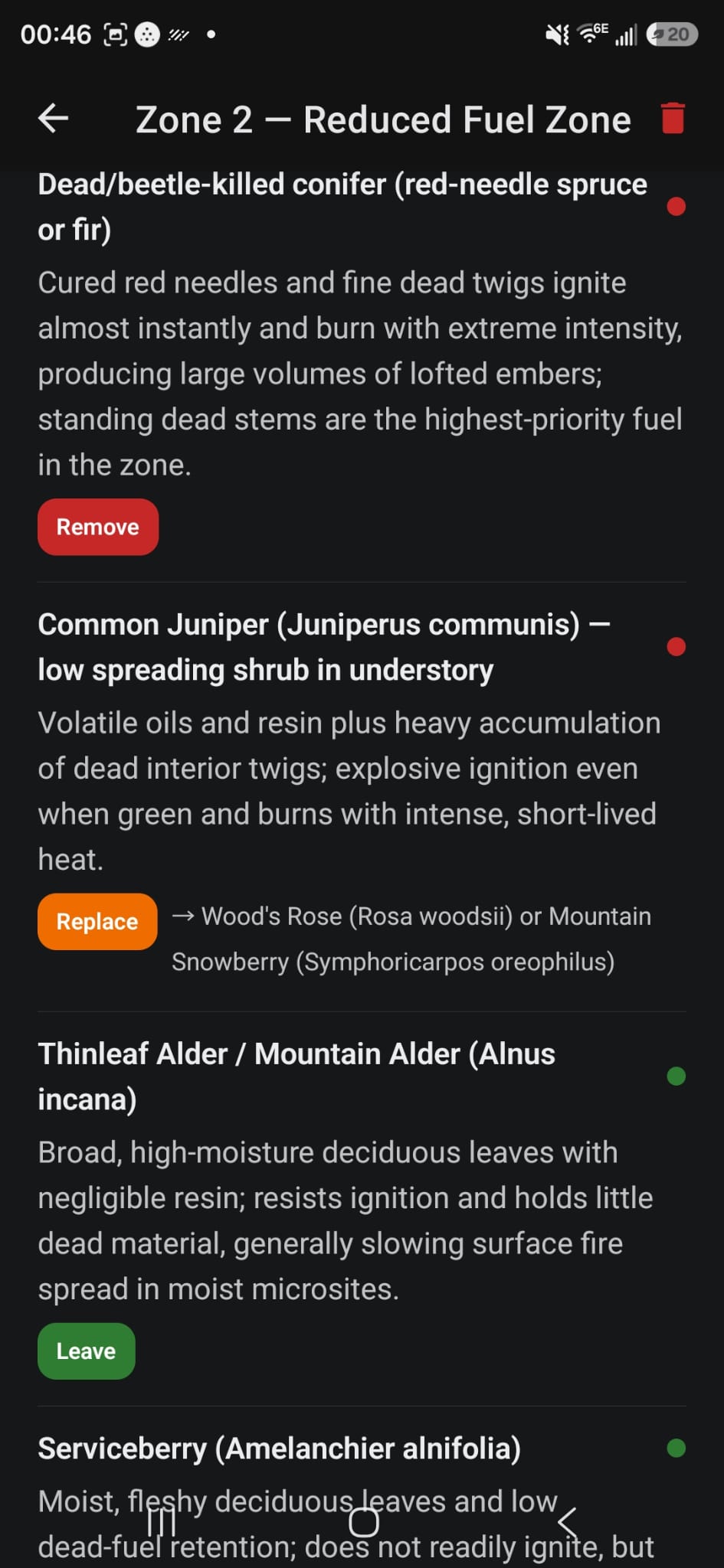
It Doesn't Just Say "Vegetation." It Names Names.
Point the camera at a hillside and the AI breaks it down plant by plant — common name, scientific name, and a plain-language read on how that species actually behaves in a wildfire. Resinous conifers, cured grasses, and moisture-rich shrubs all carry fire differently, and the report treats them that way instead of flagging "vegetation" as one generic risk.
- Leave — low-risk, fire-resistant species that are fine to keep in place
- Remove — high-risk fuel that should come out, with the reason why
- Replace — flags a problem species and suggests a specific native, lower-risk substitute
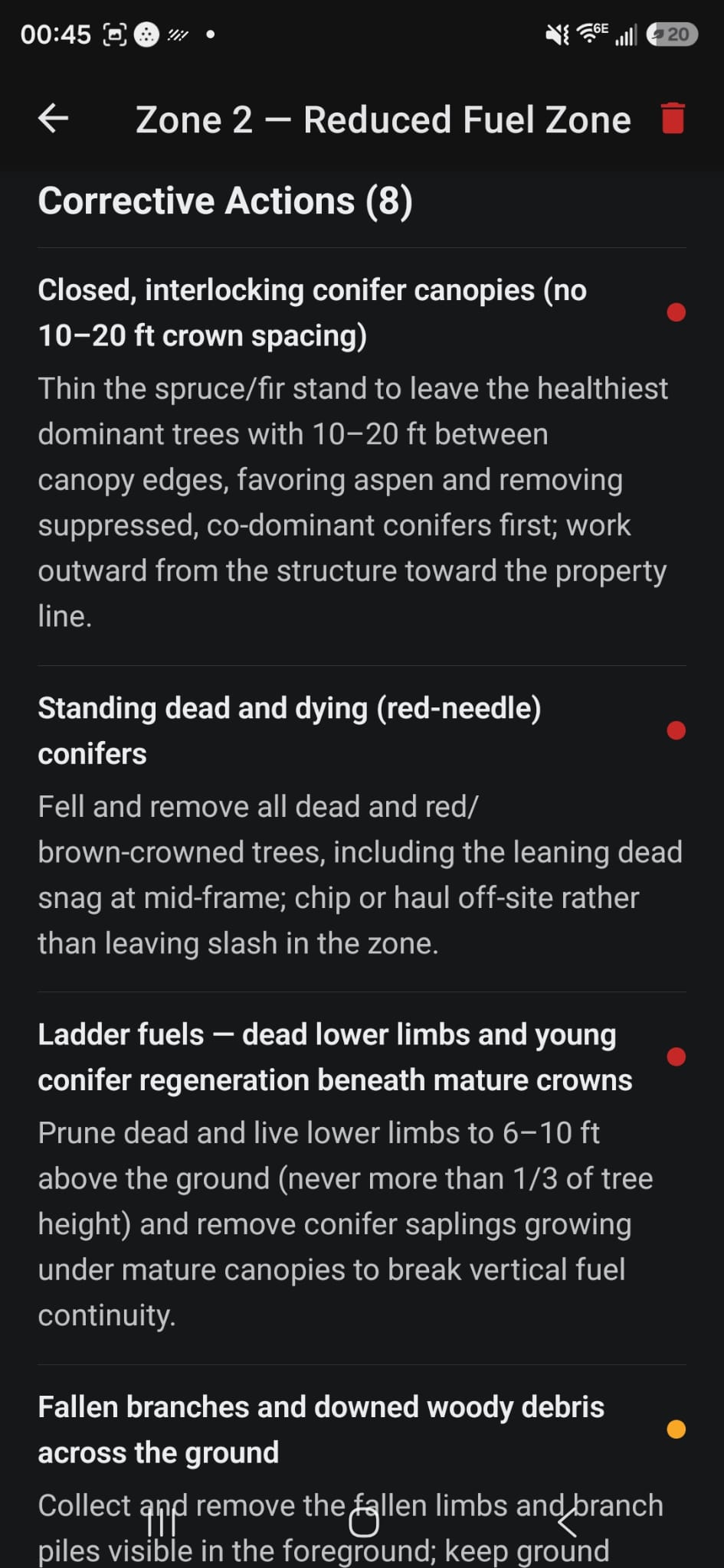
Specific Fixes, Not Vague Warnings.
Beyond vegetation, the AI reads the whole scene — canopy spacing, ladder fuels, duff and needle-litter buildup, downed debris, missing fuel breaks, slope-driven fuel continuity, even combustible siding too close to grade. Every finding comes with a prescriptive fix: prune to a specific height, thin to a specific spacing, mow to a specific length. Nothing left to guess at.
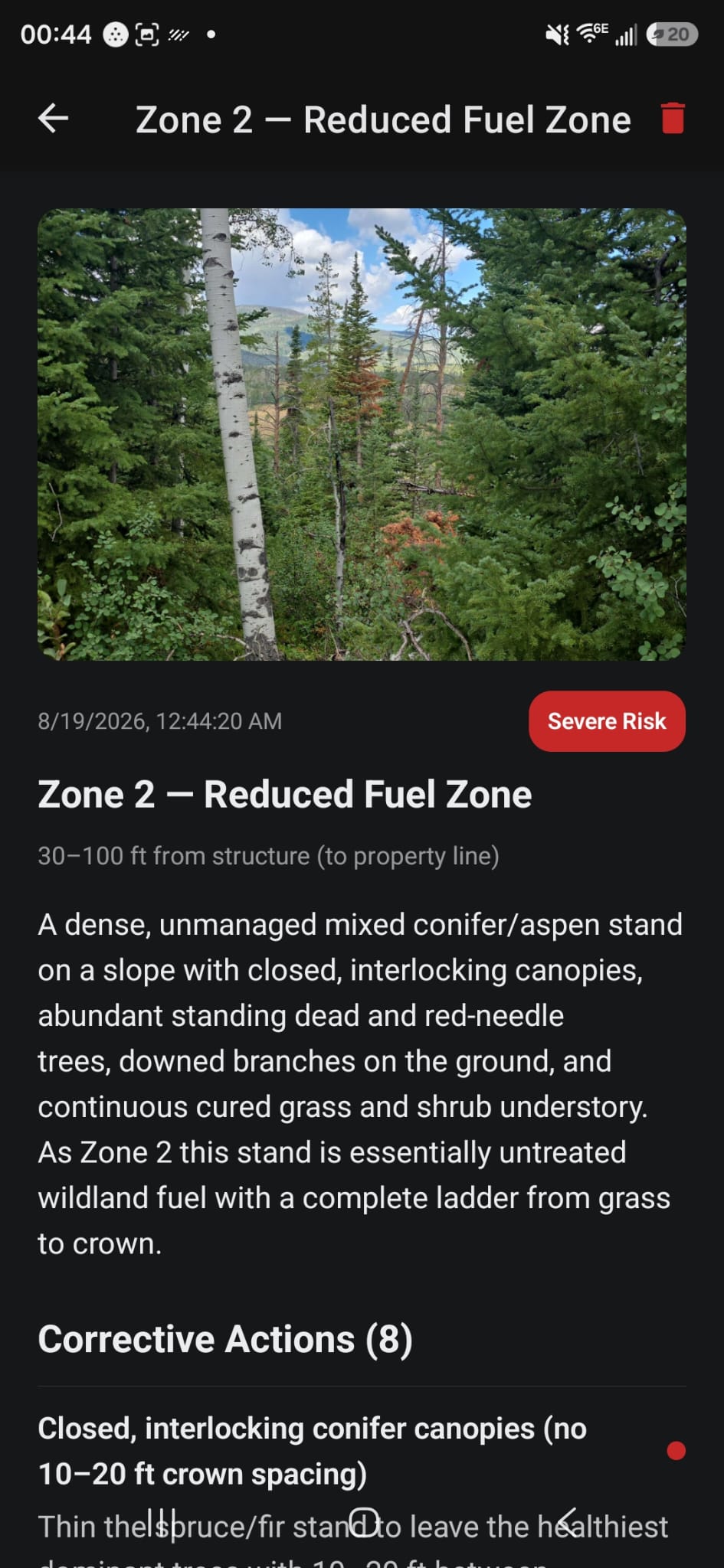
Built on the Same Zone Framework as Every DPS Project.
Every inspection is scored Low, Moderate, or Severe and tied to the exact NFPA-aligned Home Ignition Zone it was taken in — the same Zone 0 through Zone 3 system our crews assess on every property. That means a homeowner's phone report and a DPS crew's field assessment are speaking the same language from day one.
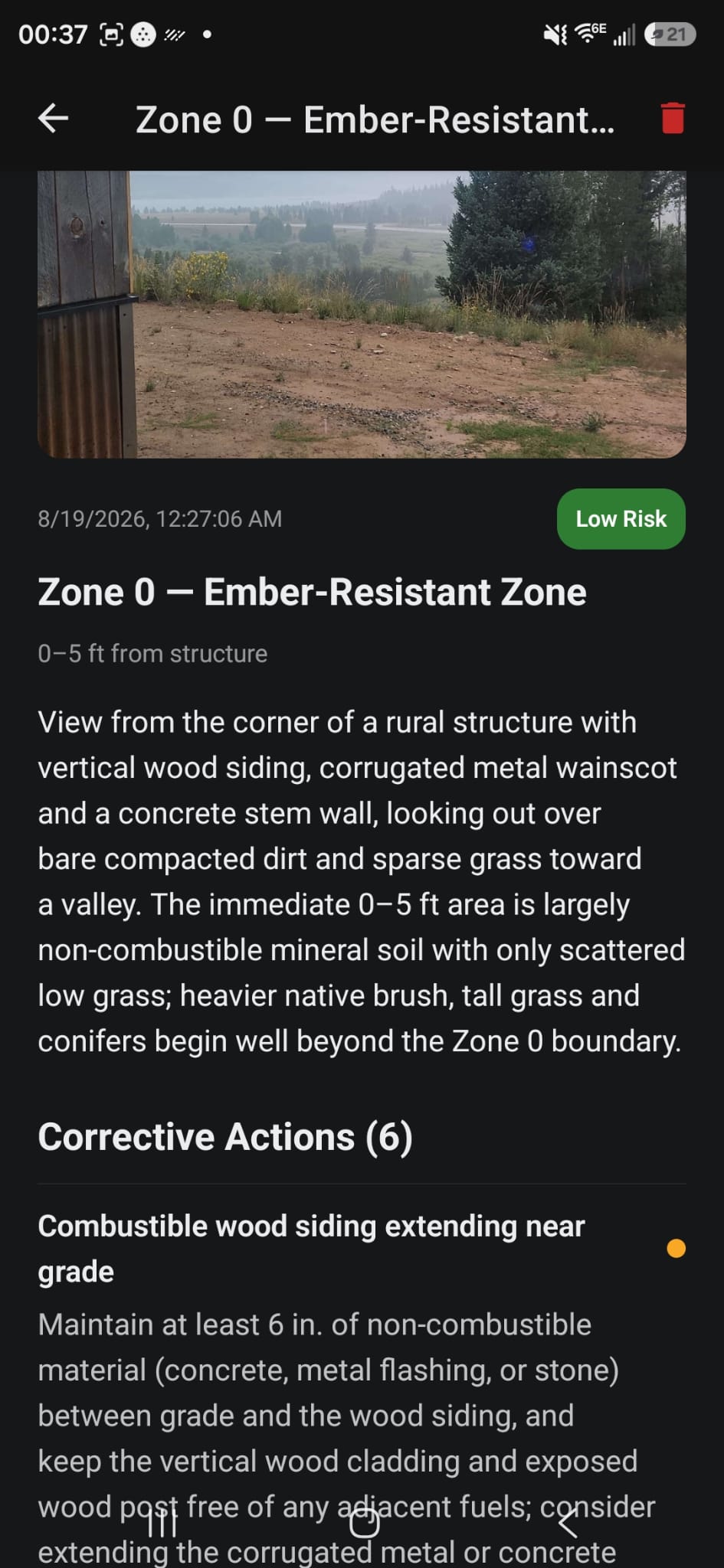
Every Inspection, Saved and Dated.
Each report is stored with its photo, timestamp, and risk rating, building a documented history of your property over time — useful for tracking your own mitigation progress, and for the kind of before/after documentation insurers increasingly want to see. A built-in Zone Guide keeps the NFPA Home Ignition Zone definitions on hand in the field, so there's never a question of which zone you're standing in.
Inside the App
Every Inspection Feeds Your Defensible Property Plan.
DPS AI Inspection isn't a replacement for a full on-site assessment — it's how we prioritize one. The zones your inspections flag Severe are the zones our crews tackle first.